Best Posture Correctors (2026): Braces vs Sensors
Affiliate disclosure: As an Amazon Associate I earn from qualifying purchases. MedHelperPro may earn a commission from eligible purchases made through links in this guide, at no extra cost to you. Affiliate availability does not affect our selections. Read the full disclosure.
Research note: Product selections are based on published specifications, policies, and independent evidence unless a guide explicitly describes hands-on testing.
Buy a posture corrector only when awareness is the missing piece.
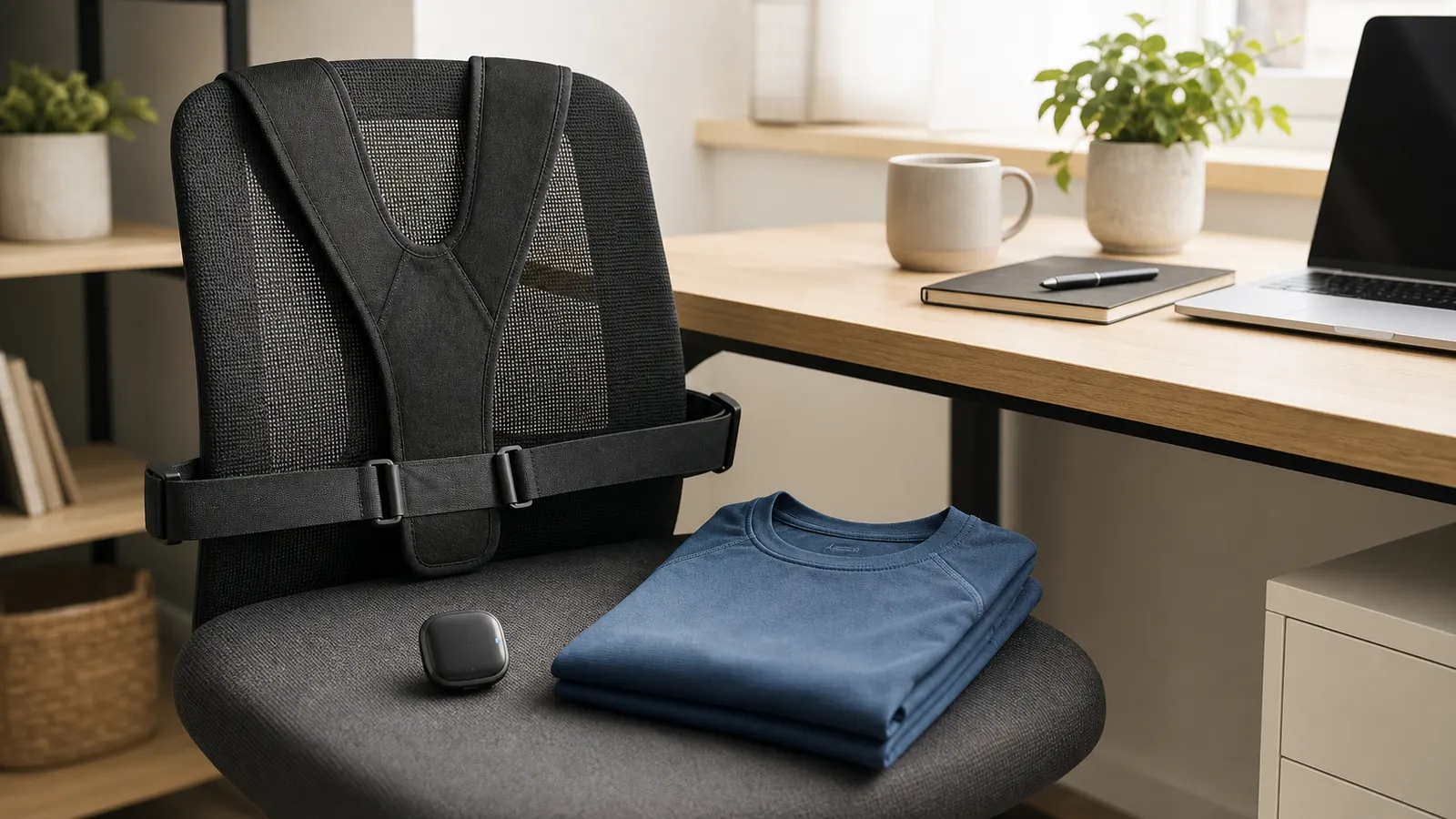
UPRIGHT GO S is the best researched choice for most people who want a cue without straps pulling on their shoulders. Mueller Adjustable Posture Support is the lower-cost brace. BackEmbrace gives a softer, more size-specific brace fit, while IntelliSkin Daily 2.0 suits people who already like compression clothing. BetterBack is a seated-only alternative. Fix a low screen, unsupported chair, or distant keyboard before buying any of them.
GO S
A posture corrector can remind you that you have drifted into a position you did not intend. It cannot decide what a comfortable posture is for your body, repair a poor workstation, or treat the cause of pain. OSHA's computer workstation guidance describes several acceptable neutral positions and recommends changing position throughout the day. That is a better goal than trying to hold one rigid pose for eight hours.
The research also calls for restraint. A 2026 systematic review of wearable posture devices found some short-term changes in alignment or awareness, but the studies were small, varied widely, and had little long-term follow-up. A randomized trial involving 130 health care workers found that postural feedback did not reduce threshold-exceeding movements compared with a sham device at one week. These products may be useful cues. The evidence does not support promises of a permanent fix.
Posture correctors compared
| Pick | Type | Direct price checked Aug. 3 | Fit or requirement | Return reality | Best for |
|---|---|---|---|---|---|
| UPRIGHT GO SCheck price on Amazon | Vibrating sensor | About $59 | Phone app, upper-back adhesive | 30-day guarantee; 1-year hardware warranty | A cue without shoulder straps |
| Mueller Adjustable Posture SupportCheck price on Amazon | Light elastic brace | $24.99 to $29.99 | Chest 34 to 44 or 42 to 53 inches | Direct returns mainly cover defects or incorrect orders | Low-cost, app-free reminder |
| BackEmbrace | Adjustable split-strap brace | $69.99 | Three underbust-based sizes; contains latex | 10 days, unworn condition, $6 restocking fee | A softer brace with defined sizes |
| IntelliSkin Daily 2.0 | Compression shirt | $135 | Sizes SM to 3X; compression fit | 30 days only if unworn, unwashed, and undamaged | People who prefer clothing to a gadget |
| BetterBack | Seated lumbar and pelvic support | About $49.99 | Waist options up to 36 or 55 inches | 60 days in new condition; shipping may be deducted | Portable support for seated tasks only |
Prices are current direct-store prices observed on August 3, 2026, not permanent list prices. Promotions, stock, and regional terms can change. The table does not contain ratings because MedHelperPro has not performed comparative wear testing.
How we chose these posture correctors
Search results for this category mix shoulder braces, compression clothing, phone-connected sensors, and lumbar supports as though they do the same job. They do not. We first separated products by the cue they provide. Then we checked sizing, material warnings, setup requirements, care, current direct price, recurring ownership needs, and whether the return policy gives a buyer a realistic fit check.
We favored products that describe themselves as reminders or light supports. Hospital for Special Surgery guidance says a corrector should fit comfortably without holding the body too strictly, should be easy to put on without help, and should be used as a temporary aid alongside movement and strengthening. It is a poor match when it replaces the body's work or causes the user to force the shoulders backward.
Return terms carried unusual weight. A brace that touches the underarms or a compression shirt that covers the torso is hard to judge from a size chart. Yet some brands accept returns only if the item is unworn. That makes careful measurement and retailer choice part of the product decision, not checkout fine print.
Best overall: UPRIGHT GO S
UPRIGHT GO S is the clearest choice when the problem is forgetting, not a need for physical support. One movement sensor detects a change from the posture you calibrated and the device vibrates as a cue. The current package includes a USB-C cable, travel case, five adhesives, three feedback plans, and seven days of offline data syncing. The seller listed it at $59 during this review.
The main advantage is freedom of movement. Nothing pulls the shoulders back or presses across the ribs. You can also adjust the feedback rather than tightening fabric. An older official GO S manual lists a weight of about 11 grams, Bluetooth 4.2, iOS 11 or later, Android 8 or later, and roughly 20 hours of battery life. The current storefront describes battery life as up to six days based on three hours of daily training. Because those official descriptions use different methods, do not compare the headline day count with another wearable unless the usage assumptions match.
Ownership has friction. Adhesives are consumable, the optional necklace costs extra, and the device relies on an app for calibration and reports. Sweat can weaken the adhesive, and the product page says the GO S is not waterproof. The one-year limited warranty excludes consumables such as adhesive tape and does not cover the app. The return policy requires the buyer to request a return within 30 days and may require several completed training days.
Who should buy it: Someone who changes positions normally but wants a discreet reminder during desk work. Who should skip it: Anyone who dislikes app dependence, adhesives, charging, or vibration alerts. It is also the wrong tool if a low laptop or badly placed keyboard causes the position in the first place.
Best budget brace: Mueller Adjustable Posture Support
The Mueller Adjustable Posture Support is a light elastic reminder with padded shoulder straps. It comes in two overlapping chest ranges: 34 to 44 inches and 42 to 53 inches. Mueller listed the sizes at $24.99 to $29.99 during research. The simple design has no app, battery, subscription, or replacement adhesive.
The official application instructions are more measured than the product-page language. They call the product light upper-back support, tell the user to start with 30-minute sessions, and say to stop if a rash develops or pain persists. The instructions also state that it is not made with natural rubber latex. That makes Mueller a sensible first brace if your chest falls inside a listed range and you can reach the adjustment tabs.
The weak point is returns. Mueller's direct return policy covers defective merchandise and incorrect orders, with incorrect items returnable within 30 days in resale condition. It does not promise a comfort return for a correctly shipped brace. Buy from a retailer with terms you can verify if fit uncertainty is high.
Who should buy it: A budget shopper who wants a mild physical cue for short sessions. Who should skip it: Anyone outside the stated chest ranges, anyone with limited shoulder mobility that makes the brace hard to put on, or anyone expecting firm support. Light support is the point.
Best adjustable fabric brace: BackEmbrace
BackEmbrace uses a split-strap system that lets the wearer vary tension across the shoulders. Its three sizes use underbust measurements rather than a vague universal label: 24 to 31 inches, 32 to 37 inches, and 38 to 47 inches. The brace is machine washable on a cold delicate cycle and must be dried flat. It was listed at $69.99.
This is the brace to consider when thin elastic straps tend to dig in and you want a more clothing-like design. There are two catches. First, the material contains latex. Second, the manufacturer FAQ says to start with shorter periods and not exceed six consecutive hours, but the return policy accepts domestic returns only within 10 days, in unworn original condition, with a $6 restocking fee. Trying it under clothing can make it ineligible. International orders are final sale.
Who should buy it: Someone who can measure carefully and wants a soft, adjustable brace rather than a gadget. Who should skip it: Anyone with a latex sensitivity, uncertain sizing, or a need for a generous trial. The return policy is the biggest reason this is not our overall pick.
Best posture shirt: IntelliSkin Daily 2.0
IntelliSkin Daily 2.0 turns the posture cue into a compression base layer. The shirt was listed at $135 in sizes SM through 3X. Its stretch panels apply a continuous directional feel across the torso without a separate brace or sensor. That can be convenient under ordinary clothing, especially for someone who already knows that close-fitting compression apparel is comfortable.
Do not treat the brand's circulation, muscle activation, or pain language as proven outcomes for you. The independent evidence does not justify that certainty. The practical case for the shirt is simpler: it provides a distributed fabric cue, has no charging requirement, and can be washed on a cold gentle cycle and hung dry.
The IntelliSkin return policy allows a refund within 30 days only for unworn, unwashed, undamaged merchandise, minus shipping. That is a poor comfort trial for an expensive base layer. Measure against the current chart, confirm whether the exact size is returnable, and do not rely on a casual shirt size.
Who should buy it: A compression-clothing user who wants the cue built into a shirt and accepts the premium price. Who should skip it: Anyone who runs warm, dislikes compression, is between sizes, or wants to evaluate comfort during a normal workday before committing.
Best seated-only alternative: BetterBack
BetterBack is not an upper-back posture corrector. It places a pad behind the lower back and connects it to straps around the knees or shins. That geometry can support a seated position without attaching anything to the shoulders. The current direct offer was about $49.99, with size options shown for waists up to 36 or 55 inches.
The tradeoff is task compatibility. BetterBack's instructions and FAQ say it works only while sitting, not while standing, lying down, or driving. Knee straps may interfere with frequent stand-ups, a shallow desk, or clothing that makes the strap awkward. The company recommends starting at 15 minutes. Its 60-day return policy is more useful than most in this category, but the item must be in new condition and return shipping may be the buyer's responsibility.
Who should buy it: Someone who works in different chairs and specifically wants portable seated support. Who should skip it: Anyone who wants an all-position reminder, stands often, drives while working, or needs an upper-back cue.
BetterBack is one seated-support mechanism, not a conventional chair cushion. For strapped rolls, contoured foam, lower-profile car options, and seat-depth checks, use the lumbar support pillow comparison.
How to choose the right type
Fix the workstation before adding a wearable
If you look down because the laptop is below eye level, the correct purchase is usually one of the laptop stands for remote work plus an external keyboard, not a brace. If your arms reach forward all day, bring the input devices closer. Our ergonomic workspace buying order covers the full setup. The dual-monitor arm guide, ergonomic keyboard and mouse comparison, and office chair fit guide address problems a body-worn product cannot solve.
Choose a cue, not a promise
A sensor gives active feedback only when it detects movement beyond a calibrated threshold. A light brace creates continuous pressure or tension. A compression shirt spreads the cue across more fabric. A seated support changes the relationship between the pelvis, lower back, and legs. Pick the mechanism that matches the moment you lose awareness. None has earned a blanket claim of lasting correction.
Measure where the product sits
Chest, underbust, shirt, and waist measurements are not interchangeable. Use a flexible tape and follow the brand's exact chart. Check whether broad shoulders, a long torso, limited arm movement, or layering over a sweater changes the fit. A product that technically closes can still place its pressure in the wrong spot.
Read the return policy before opening the package
Keep every insert and take a photo of the package contents. Confirm whether trying the item over a thin shirt counts as wear, who pays return shipping, whether a restocking fee applies, and whether direct purchases have different rules from retailer orders. Comfort is too personal for a final-sale gamble.
A practical return-window fit check
The calendar for this guide proposed wearing every corrector for a full eight-hour workday and logging the point when rubbing begins. We did not do that. There are no samples, dated wear logs, skin checks, photos, or measurements in the repository. Instead, use the product's instructions and a conservative fit log of your own.
- Record the exact model, size, clothing layer, chair, and task.
- Start with the maker's short introductory session. Mueller says 30 minutes; BetterBack says 15 minutes. Do not jump to an eight-hour day.
- At the end of the session, note underarm rubbing, pressure at the ribs, trapped heat, skin marks, restricted breathing, false alerts, and whether ordinary reaching still feels natural.
- Repeat during the tasks that matter, such as typing, calls, reading, and sitting back against the chair. Increase time only within the product instructions and your clinician's guidance.
- Return it if the cue requires force, the straps migrate, normal movement becomes awkward, or the product stays in a drawer after the first few sessions.
Stop using the product if it causes pain, numbness, tingling, a rash, breathing restriction, or worsening symptoms. A consumer posture corrector is not a diagnostic tool. Persistent pain, weakness, a recent injury, or symptoms that radiate into an arm or leg call for qualified medical assessment, not a different shopping pick.
Compatibility and ownership details people miss
- Chair contact: A sensor or buckle can press against a firm backrest. A lumbar pad can reduce usable seat depth.
- Clothing: Thin straps may show under a shirt. Compression layers add warmth. Latex and adhesive sensitivities can rule out a product before fit matters.
- App support: A sensor's useful life depends partly on phone compatibility, account access, software support, and the availability of replacement adhesives.
- Care: Some braces can be hand or machine washed, while electronics cannot. Air-dry requirements matter if the product is used often.
- Movement: A reminder should still let you recline, reach, and change position. Our desk movement gear guide explains why position changes matter more than looking upright in a single photo.
Limitations of this researched guide
MedHelperPro did not perform the proposed all-day wear test, compare sensor accuracy, verify strap tension, inspect stitching, measure skin temperature, or test the mobile apps. Recommendations are based on documented mechanism, fit information, care, direct-store terms, independent evidence, and the practical cost of a bad fit. Prices and policies were checked on August 3, 2026.
Manufacturer claims about pain relief, muscle activation, circulation, permanent results, or rapid improvement were not used as selection proof. The phrase "FDA registered" is not a performance standard. The FDA states that establishment registration or device listing does not mean a product is approved, cleared, or authorized.
Frequently asked questions
Can a posture corrector permanently fix posture?
Current evidence does not support that promise. A corrector may provide short-term awareness or alignment feedback. Lasting comfort and function also depend on the workstation, movement, strength, individual anatomy, and the reason the position occurs.
Is a sensor better than a brace?
A sensor is better when you want an occasional active reminder without continuous pulling. A light brace is simpler, cheaper, and independent of an app, but fit and rubbing become more important. Neither is universally better.
How long should you wear a posture corrector?
Follow the exact product instructions and start with a short session. Hospital for Special Surgery advises limiting use to a few hours rather than treating the device as a permanent crutch. If a clinician recommended a brace for a diagnosed condition, follow that plan instead of a general buying guide.
Should you buy one for back or neck pain?
Do not use a shopping guide to diagnose pain. A posture corrector might provide a cue, but it cannot identify the cause or replace professional assessment. Seek care for severe, persistent, worsening, or neurologic symptoms.
Sources and further reading
- OSHA: good computer working positions
- Hospital for Special Surgery: how to choose and use a posture corrector
- Applied Sciences: 2026 systematic review of wearable posture devices
- PubMed: randomized trial of workplace postural feedback
- WIRED: independent testing across braces, clothing, and sensors
- FDA: registration does not denote approval or clearance
Before you buy: Confirm the current price, exact size chart, materials, phone requirements, care instructions, warranty, and return terms on the seller's site. Do not use a consumer posture corrector as a substitute for evaluation of persistent pain or neurologic symptoms.