Best Blue Light Glasses (2026): Four Honest Picks
Affiliate disclosure: As an Amazon Associate I earn from qualifying purchases. MedHelperPro may earn a commission from eligible purchases made through links in this guide, at no extra cost to you. Affiliate availability does not affect our selections. Read the full disclosure.
Research note: Product selections are based on published specifications, policies, and independent evidence unless a guide explicitly describes hands-on testing.
Most people should fix glare and their prescription before buying blue light glasses.
Blue light filtering has not shown a reliable short-term benefit for computer eye strain. If you still want a pair, choose Zenni Blokz Core for value and prescription flexibility, Felix Gray Nash for a premium clear option, GUNNAR Intercept Amber for late computer work, or BON CHARGE Brooklyn for an aggressive evening-only filter.
Glare
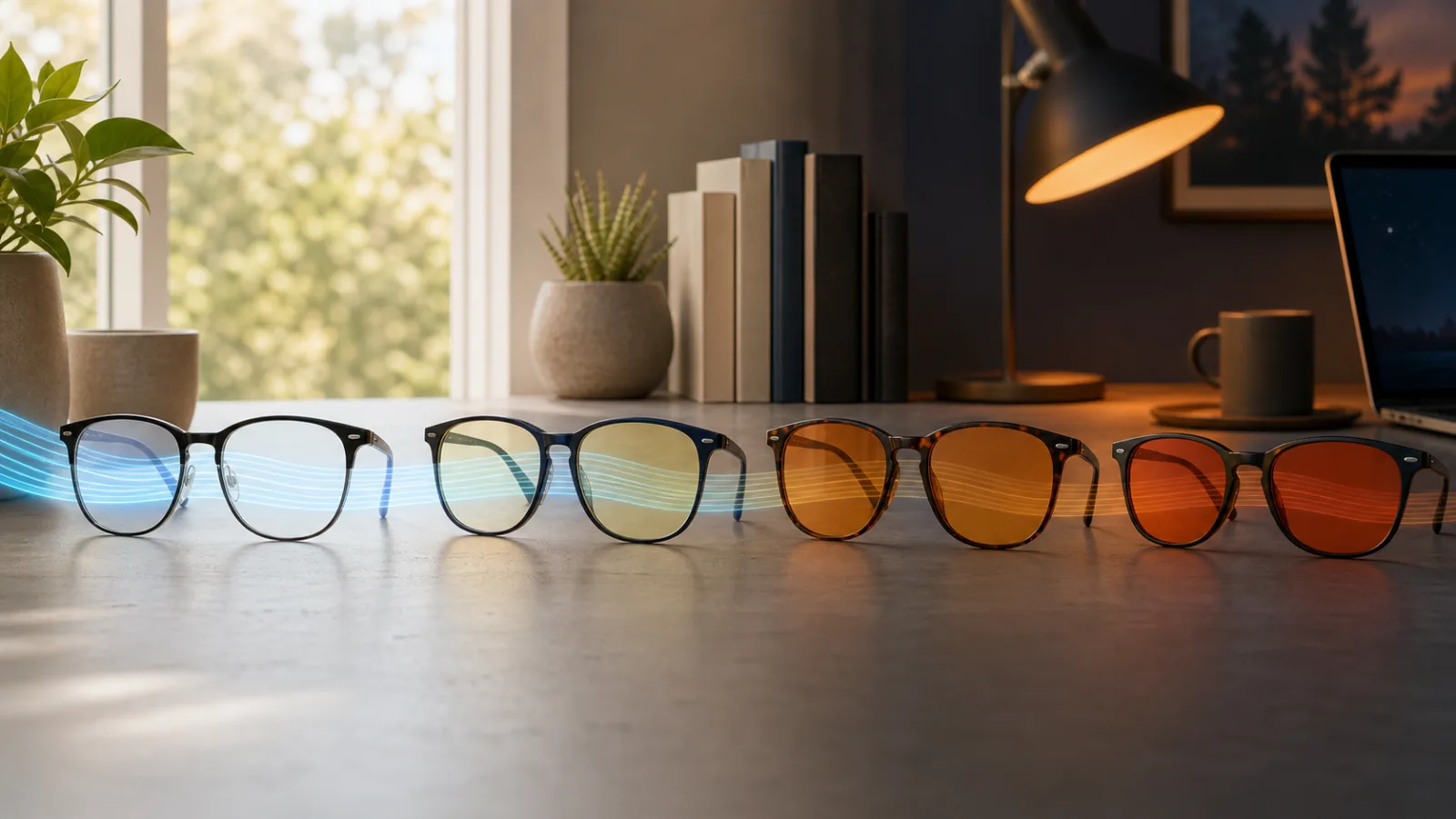
Blue light glasses are easy to oversell. A percentage on a product page looks precise, yet it may describe one wavelength, a band of wavelengths, or a company's own test method. A clear lens and a deep orange lens can both be called "blue light blocking" while changing the view in completely different ways.
Start with the actual problem. Reflections, small text, an outdated prescription, dry air, and hours without changing focus can all make a screen day unpleasant. Our screen comfort setup guide works through those causes in a useful order. Glasses make more sense after that basic setup is sound, or when a strong evening tint is a deliberate part of your light routine.
Blue light glasses compared
| Pick | Documented filtering claim | Lens character | Prescription choices | Ownership notes | Best for |
|---|---|---|---|---|---|
| Zenni Blokz Core | Zenni says Core filters 40% of high-energy blue light | Virtually clear | Single vision, bifocal, progressive, and nonprescription | 14-day refund or 30-day store credit under current policy | Value shoppers who need prescription flexibility |
| Felix Gray NashCheck price on Amazon | Felix Gray says its clear lens filters more than 50% across its stated blue light range, with wavelength-specific figures | Clear, with an amber option also offered | Nonprescription, readers, single vision, and progressive | 30-day return window and one-year warranty listed | A premium clear pair with a medium frame |
| GUNNAR Intercept AmberCheck price on Amazon | GUNNAR says Amber filters 65% at 450 nm | Noticeably amber | Nonprescription and prescription configurations | 30-day nonprescription returns; prescription sales are final | Late computer work or gaming when color shift is acceptable |
| BON CHARGE BrooklynCheck price on Amazon | BON CHARGE says its spectrometer report shows 100% blocking from 400 to 550 nm | Deep orange | Nonprescription, readers, and prescription configurations | 30-day returns on eligible full-price nonprescription pairs; readers and prescription orders excluded | Evening-only use when maximum visible color shift is acceptable |
Claims and policies checked July 30, 2026. Percentages are manufacturer claims, not results from a common MedHelperPro test. Confirm current options and terms before ordering.
How we chose these four
This is not a ranking by the biggest percentage. We looked for choices that cover four genuinely different jobs: an accessible clear prescription lens, a premium clear frame, a moderate amber computer lens, and a strong orange evening lens. Each company had to publish enough detail to judge the lens, ordering options, fit, and return risk.
- Evidence clarity: Does the seller identify a tint, wavelength, range, or test basis instead of using a vague "blocks blue light" badge?
- Use-case fit: A daytime spreadsheet lens should preserve color. An evening-only lens can accept more tint.
- Prescription path: We favored companies that explain available prescriptions and ordering limits.
- Physical fit: Frame width, lens width, bridge, temple length, and frame weight matter because a useful lens in an uncomfortable frame stays in a drawer.
- Exit cost: We checked returns and warranties on the first-party sites. Custom lenses often have tighter terms.
- Claim discipline: We did not award points for promises about sleep, focus, headaches, eye health, or performance that go beyond current clinical evidence.
US spectacle lenses are Class I medical devices, and the FDA's eyewear guidance points manufacturers and importers to impact-resistance requirements. The ISO 8980-3:2022 standard covers transmittance specifications and test methods for uncut spectacle lenses. Neither reference means every marketing percentage is comparable, and we do not treat a brand's mention of testing as independent certification.
Why blue light percentages do not line up cleanly
Light transmission changes by wavelength. A lens might reduce a large share around 420 nm while allowing much more around 455 nm. Another seller might report an average across a broad band. Both can produce a truthful percentage, but the numbers answer different questions.
Tint is the quickest practical clue. A nearly clear lens cannot remove the same broad portion of visible blue and green light as a deep orange lens without behaving differently. Stronger filters alter whites, skin tones, charts, photos, and game graphics. That may be fine at 10 p.m. It is usually a poor trade for design work at noon.
Look for a transmission curve or at least a named wavelength, not just a large number. Also separate blue light filtration from anti-reflective treatment. A coating that cuts distracting reflections may feel useful even when the blue light component itself is not the reason.
1. Zenni Blokz Core: best value for prescription flexibility
Zenni describes Blokz Core as a virtually clear lens that filters 40% of high-energy blue light. The option is available across single vision, bifocal, progressive, and nonprescription orders. That breadth is the reason it leads our value pick, not an assumption that 40% will relieve eye strain.
Core is the sensible Zenni choice for daytime office work because it should create less visible color shift than the company's more strongly filtered tiers. Blokz Plus Anti-Fatigue is listed at 60% with a slight yellow tint, while Blokz More uses a coating and a different comparison at 450 nm. Those figures should not be treated as a simple 40, 60, and "more" performance ladder.
Choose it if: you need an affordable entry point, have a bifocal or progressive prescription, want many frame choices, or prefer a lens that looks close to clear on video calls.
Skip it if: you want a strong evening filter, need to see an independent spectral report before buying, or are ordering a complex prescription without confidence in your measurements. Clear lenses also remain a weak purchase if glare or an outdated prescription is the real problem.
Zenni's current return and warranty page allows 14 days for a refund or 30 days for store credit. It separately lists a 30-day manufacturing-error warranty and a one-year warranty for anti-reflective and photochromic coating defects. Read the remedies carefully before customizing a lens.
2. Felix Gray Nash: best premium clear option
The Felix Gray Nash is a medium frame with published 49-17-140 measurements and a 135 mm overall width. It is offered with clear or amber lenses in nonprescription, reader, single-vision, and progressive configurations. Those measurements make it easier to compare against glasses you already know fit.
Felix Gray says its clear lens filters more than 50% across its stated blue light range, almost 90% from 380 to 440 nm, and about 30% at 455 nm. That breakdown is more informative than one broad percentage, but it is still a manufacturer statement. The company also describes its clear lens as avoiding color distortion. We did not independently verify either claim.
Choose it if: you want a polished clear pair, your current glasses are close to the Nash measurements, and the available prescription configuration fits your needs. The 30-day return period helps when frame comfort is uncertain.
Skip it if: you are shopping mainly for the lowest cost, need a narrow or very wide fit, or expect a clear lens to work like an orange evening filter. It is also the wrong justification if you are buying solely to cure screen fatigue.
The current product page lists a 30-day return window and a one-year warranty. Confirm whether custom lens choices, shipping, or adjustments affect those terms at checkout.
3. GUNNAR Intercept Amber: best for late computer work
GUNNAR's Intercept is the practical middle ground for someone who wants an obvious filter but does not want a deep orange evening lens. The company says its Amber lens filters 65% of blue light at 450 nm. It also publishes separate figures for Clear, Clear Pro, and Amber Max, which is another reminder to match the lens tint to the task.
The frame is listed as medium, with 58 mm lenses, a 17 mm bridge, 135 mm temples, 137 mm overall width, and a 33 g weight. GUNNAR lists the Intercept as low-bridge fit. Prescription availability is shown from -6 to +5, though the usable range can depend on the order.
Choose it if: your long screen sessions happen in the evening, you can tolerate an amber view, and the low-bridge medium frame matches your face. It can also suit gaming when color accuracy is secondary to maintaining a deliberate late-night setup.
Skip it if: you edit photos or video, work with color-coded diagnostics, want a nearly invisible lens, or need a frame outside its published fit. An amber lens is not evidence that headaches or poor sleep will improve.
GUNNAR's current returns policy gives new nonprescription eyewear 30 days, with a return handling fee. Prescription eyewear is final sale. The company lists a 12-month warranty for nonprescription glasses and a two-year warranty for prescription eyewear, plus a limited one-time prescription, frame, or lens change within 120 days that may involve added cost.
4. BON CHARGE Brooklyn: best aggressive evening-only filter
The BON CHARGE Brooklyn uses a deep orange lens. The company says its spectrometer report shows 100% blocking of blue and green light from 400 to 550 nm. Its glasses instruction manual places this lens in the evening category, distinct from its computer glasses.
That distinction matters more than the dramatic number. A 400 to 550 nm filter changes much of the visible scene, so the Brooklyn is a specialized routine tool, not an all-day office lens. The product is listed as a large frame and is offered in nonprescription, reader, and prescription versions.
Choose it if: you specifically want a strong orange lens for the last part of the evening, do not need accurate color, and are comfortable making the glasses an obvious part of your routine.
Skip it if: you need daytime versatility, dislike orange color shift, share screens on camera, or are unsure about fit. Skip it as a first response to eye discomfort. It is also a risky blind order for readers or prescription lenses because those versions are excluded from the standard return policy.
BON CHARGE currently lists a one-year manufacturer warranty. Its return policy gives 30 days for eligible full-price nonprescription eyewear in new, resalable condition, with return shipping paid by the customer. Prescription and reader orders are nonreturnable.
What the evidence does and does not support
The best current synthesis does not show a dependable eye-strain benefit. A Cochrane review of 17 randomized trials found that blue-light filtering lenses may not reduce short-term computer eye strain compared with nonfiltering lenses. It found little or no short-term visual-acuity benefit, and the sleep findings were mixed and very uncertain.
The American Academy of Ophthalmology says there is no scientific evidence that light from computer screens damages the eyes and does not recommend special eyewear for computer use. An independent Associated Press review reached the same practical point: blue light glasses have not proved very effective for eye strain, while screen habits and setup deserve attention.
This does not mean nobody can prefer a tinted lens. It means preference should not be upgraded into a treatment claim. The FTC's health-products guidance requires health benefit claims to be supported by competent and reliable scientific evidence. Claims about curing headaches, protecting the retina, or reliably improving sleep deserve more scrutiny than a testimonial or a transmission chart can provide.
Persistent eye pain, double vision, sudden visual changes, or headaches that keep returning are not shopping problems. Ask an eye-care professional for an exam rather than using tinted lenses to delay one.
Buyer’s guide: choose the lens before the frame
For daytime work, stay close to clear
A clear or nearly clear lens is the least disruptive choice for documents, meetings, charts, and mixed work. Treat any comfort improvement as personal, not guaranteed. If reflections bother you, prioritize a good anti-reflective treatment and fix the room lighting first. Our ergonomic workspace guide covers lighting and monitor placement alongside the rest of the desk.
For evening use, decide how much color you can lose
Amber is easier to live with than deep orange, but both change color. Set your display to a warmer evening mode before spending money. If that is already too yellow for your work, strongly tinted glasses will be worse. For a broader routine, use the sleep schedule reset guide to place evening light changes alongside a consistent wake time.
For prescriptions, fit and remake terms come first
Use a current prescription and accurate pupillary distance. Compare the new frame's lens width, bridge, temple length, and total width with a comfortable pair. Progressive and stronger prescriptions can limit frame or lens choices. Find out whether a failed fit gets a refund, store credit, adjustment, or paid remake before you order.
For a tight budget, try the free fixes first
Move the screen out of direct window reflections. Match screen brightness to the room. Increase text size. Take brief look-away breaks. Clean the lens and display. If discomfort remains, spend the first dollars on an eye exam or an updated prescription rather than a filter with an impressive label.
Run a seven-day keep-or-return check
Use the seller's return window as a decision tool. This is a reader protocol, not a report of MedHelperPro product testing.
- Photograph the packaging and keep every insert until the decision is final.
- Wear the glasses for the task and time of day they are meant to serve.
- On day one, note bridge pressure, temple pressure, reflections, color shift, and screen clarity.
- Keep screen brightness, room light, and task type reasonably consistent for the comparison.
- Check whether the frame slides when looking down and whether headphones create pressure.
- Repeat the notes after several normal work sessions, not just one quiet hour.
- Return the pair if fit, reflections, or color shift make you avoid wearing it. Do not keep it because the marketing claim sounded scientific.
Limitations of this guide
MedHelperPro did not possess these products, measure spectral transmission, assess optical quality, verify prescriptions, or compare comfort over time. Manufacturer specifications and policies can change, and a frame that fits one person can be uncomfortable for another. We did not use customer star ratings because they do not establish clinical benefit or optical performance.
The content calendar proposed light-meter and glare comparisons. We omitted that test because the repository contains no product samples, calibrated equipment, measurement protocol, dated logs, or original testing assets. Publishing invented readings would be worse than leaving the question open.
Frequently asked questions
Do blue light glasses help computer eye strain?
Current randomized-trial evidence does not show a reliable short-term benefit over nonfiltering lenses. Correct prescription, glare control, readable text, blinking, and look-away breaks are better first steps.
Are clear or amber lenses better?
Clear lenses preserve color and are easier for daytime work. Amber lenses filter more visible blue light but noticeably shift color, so they make more sense for optional evening use. Neither tint is guaranteed to improve comfort or sleep.
Can I wear blue light glasses over prescription glasses?
You can, but stacked frames may be uncomfortable and can add reflections. A compatible prescription lens or a clip-on designed for your frame is usually tidier. Check the prescription seller's remake and return terms first.
Should I buy the pair with the highest blocking percentage?
No. Check the wavelength or range behind the number, the visible tint, your need for color accuracy, prescription availability, fit, and returns. A broad high-blocking claim usually comes with a stronger color shift.
Sources checked July 30, 2026
- Cochrane: blue-light filtering spectacle lenses
- American Academy of Ophthalmology: blue light and digital eye strain
- FDA: sunglasses, spectacle frames, and spectacle lenses
- ISO 8980-3:2022 lens transmittance standard
- FTC: Health Products Compliance Guidance
- Zenni Blokz lens information and returns and warranty
- Felix Gray Nash product details and lens claim details
- GUNNAR Intercept specifications and returns policy
- BON CHARGE Brooklyn product details, instruction manual, and returns policy
Before you buy: Recheck the seller's current lens options, frame measurements, prescription limits, warranty, and return exclusions. A researched recommendation cannot predict personal fit or comfort.